Achriom Is Now in ChatGPT
Achriom, the AI librarian for your books, movies, albums, TV, and anime, is now available as a ChatGPT app.

Achriom is a personal library for everything you read, watch, and listen to. Books, movies, albums, TV, and anime, all in one place, with a librarian that knows what’s there. As of today, it lives inside ChatGPT.
You start the same way you’d start a conversation about what you’ve been reading lately. Open Achriom in ChatGPT and tell the librarian what you finished this week. Your library builds from there.
What goes in the library
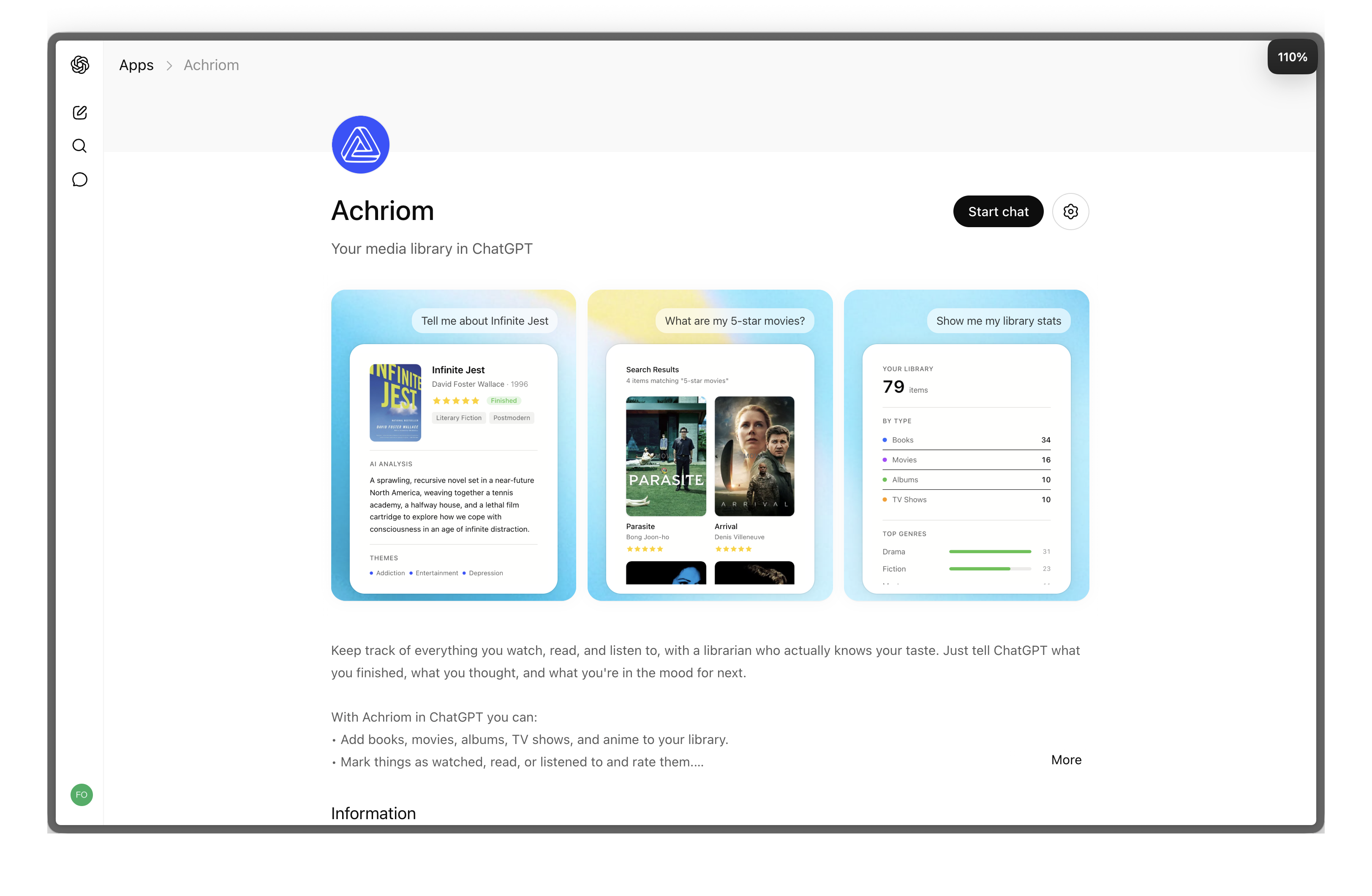
Achriom holds five kinds of media: books, movies, TV shows, albums, and anime. Each item carries the things you’d expect (cover, creator, genre, year) plus the things you’ll want to ask about later: themes, your rating, your notes, where you are with it, and when you added it.
You don’t type metadata by hand. When you mention a title, Achriom looks it up in the right database: Open Library for books, TMDB for movies and shows, Discogs for albums, AniList for anime. The cover and details come back in seconds and the item enters your library.
You can also import in batches, fix the metadata when an enrichment goes sideways, and delete items the librarian shouldn’t be reasoning over anymore.
What you can ask about your library
Once a handful of items are in, the librarian can answer questions about your collection. A few of the shapes that come up most often:
- Do I have any unread cybernetics books?
- Show me my five-star novels.
- What albums have I saved but never listened to?
- What Southern Gothic books have I finished?
- Pull up that Mogwai album.
- Open Infinite Jest.
These queries combine filters the way you’d combine them in conversation: by status, rating, theme, creator, format, or year. The librarian returns the items themselves, plus enough context to know what you’re looking at.
Recommendations from your own shelf
The recommendations are grounded in your actual library: what you finished, what you abandoned, what you rated highly, what you keep meaning to get to, and the themes that keep recurring across what you love.
You can ask in several registers:
- What should I read next if I loved Blood Meridian?
- Pick a forgotten jazz record.
- Give me something short, weird, and already in my library.
- What album matches my current mood?
- Recommend an unread book that fits the mood of my favorite albums.
The last one is the kind of recommendation only a cross-media library can make. Books, movies, albums, shows, and anime all sit in the same pool, so the librarian can suggest one based on the others.
What it notices about you
Some patterns only show up once a library is yours. The librarian can read those patterns back to you in plain language.
- What do I seem to keep coming back to?
- What themes show up across my favorite books and albums?
- What phase was I in when I was reading Southern Gothic?
- What does my library say about me?
These read like short reflections from someone who’s been paying attention. The librarian might notice, for example, that your five-star books span four decades but share a single preoccupation, or that the records you saved and never played are mostly from the same year you were going through something.
Search inside books you’ve uploaded
For books you upload as PDFs, Achriom can search the text semantically. Ask for a passage by what it’s about, not just by keyword:
- Find passages in Infinite Jest about addiction.
- Where does the author talk about grief?
- Find the quote I half-remember about freedom.
The librarian returns the matching passages with enough surrounding context that you can pick up the thread without rereading the whole chapter.
Preview music, find related video
For albums in your library, the librarian can pull 30-second previews from Apple Music. Sample a record before adding it, or revisit one you saved months ago and forgot.
For anything in your library, you can ask for related video: interviews, trailers, analysis clips, performances. Achriom finds them on YouTube and embeds the result inline so you can watch without leaving the conversation.
A focused mode for deep research
Sometimes you don’t want the librarian reasoning across your entire library. You want it focused on two or three works.
Focused research mode limits the context to a curated set. Compare two novels by the same author. Cross-reference a director’s films around a specific theme. Trace an influence from a single album through everything that came after it. The rest of your library stays available but stops bleeding into the analysis.
Why it lives in ChatGPT
There’s no app to install and no bulk import to plan. You start with the kind of question you’d ask a well-read friend (“I just finished this, what should I read next?”), and the librarian’s replies update your library as you go.
You can plan a weekend of reading, watching, and listening in one window. You can ask for recommendations without leaving the thread you’re already in. The librarian remembers what you’ve added, what you’ve rated, what you’ve finished, and what you’ve written about each item, and over time it knows your taste well enough to surprise you with something from your own shelf.
How to start from zero
Try these in your first conversation:
- Add the last three books I finished: [titles].
- I just watched [movie] and gave it five stars.
- Add [album], I’ve been listening to it on repeat.
- What’s in my library so far?
- Recommend something based on what I’ve added.
As your library grows, the questions you can ask grow with it. For the fuller picture, read What Can You Actually Ask Your AI Librarian? and the welcome post on why a library like this is worth building.
Open Achriom in ChatGPT and add the first thing you finished this week.