Give Claude Your Library: Let AI Explore Your Books, Albums, and Films
Connect your Achriom library to Claude or ChatGPT with MCP and ask questions that span everything you've read, watched, and heard.
Some links below are affiliate links. As an Amazon Associate, Achriom earns from qualifying purchases. For books we prefer Bookshop.org, which supports independent bookstores.
Your archive, not a list of titles
Most AI conversations about media start the same way. You type out some titles, the AI responds with something plausible, and the whole exchange feels thin. The AI is helpful in the way a well-read stranger is helpful: it knows the territory, but it does not know you.
The context is missing. The AI is working from a list you just typed, not from years of what you have actually loved and abandoned and returned to.
Achriom’s MCP integration changes this. Connect your library once, and Claude or ChatGPT can see your real collection: ratings, dates, format, notes. The questions you can ask from there are genuinely different from anything you can do by pasting a list.
What the connection actually enables
A list of titles tells an AI what you have heard of. A library tells it what you care about.
With your Achriom library connected, the AI has structured access to:
- Your ratings. Not just what you have read or watched, but how much you loved it.
- Your history. When you finished things, what you have revisited, what you abandoned.
- All five formats. Books, films, TV, music, and anime in one place.
- Your notes. Anything you have written down about a work.
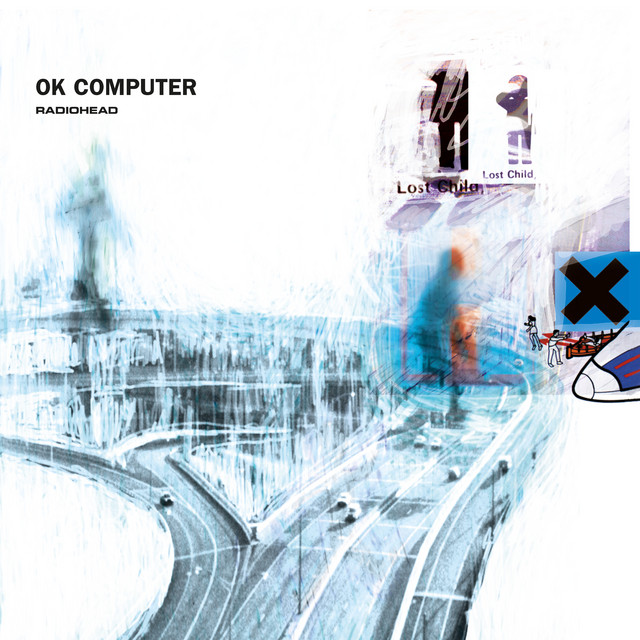
This makes a category of question answerable that was not before. “What connects the things I love” requires knowing what you love. “What should I read next” is a different question when the AI knows you gave Never Let Me Go five stars and also watched Arrival twice and also rated OK Computer as your most-played album of the year.


The AI is not guessing at your taste from a genre description. It is reading your archive.
What you can actually ask
The questions shift from generic to specific once your library is connected. A few that work well, organized by type.
Pattern questions
- “Do my five-star books and five-star films share any themes?”
- “What genres have I been drawn to most over the last two years?”
- “I keep rating slow, quiet things highly. What does that tell you about what I look for?”
Cross-format questions
- “Based on my favorite films, what music from my library would you pair with them?”
- “What connects Moonlight to anything else I have rated highly, across all formats?”
- “Are there albums in my collection that feel emotionally similar to books I have loved?”

Recommendation questions
- “Recommend a novel based only on my five-star films.”
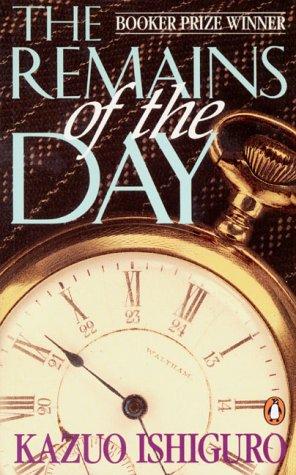
- “I want something that reads like The Remains of the Day feels. Use what you know about my taste.”
- “What TV show would I probably love that I have not added yet?”
Archive questions
- “What did I finish most in 2023?”
- “Have I ever rated an adaptation higher than the source?”
- “What is the longest gap between when I started and finished a book?”
These are not hypothetical. They work because the AI has the data to answer precisely. Without a connected library, it can only respond to what you type right now.
For a full list of prompts worth trying, the 30 questions for your AI librarian guide covers the full range.
How to connect your library
Setup takes a few minutes. You need a paid Claude plan (Pro, Max, Team, or Enterprise). There are two ways to connect.
Option 1: Plugin (recommended)
This is the easiest path and includes additional Achriom features built for Claude.
- In Claude, go to Settings → Plugins.
- Select Add plugins.
- Paste this URL and install:
https://github.com/achriom/achriom-claude-plugin.git - Sign in with your Achriom account when prompted.
Achriom will appear as a connected tool in your session once you authenticate.
Option 2: Custom connector (MCP only)
Use this if you prefer a direct MCP connection without the plugin. No API key required. It uses your Achriom account via OAuth.
- In Claude, go to Settings → Connectors.
- Choose Add → Add custom connector.
- Set the name to
Achriomand the endpoint tohttps://mcp.achriom.com/mcp. - Click Add, then Connect and sign in with your Achriom account.
Either way, confirm the connection is working by asking Claude to pull your library stats. You should see a live count of what you have tracked.
ChatGPT
If you use Achriom through ChatGPT, the connection is already built in. Open the Achriom GPT, and your library is available immediately. No server setup required.
Once the connection is confirmed, a reasonable first question is simply: “What patterns do you notice in my library?” It surfaces things you may have stopped thinking about.
The cross-format advantage
This is where single-format trackers run out of room.
Goodreads knows your books. Letterboxd knows your films. Last.fm knows your music. None of them know each other, and none of them can answer a question that spans all three. If you want to know what your favorite books and favorite albums have in common, there is no single-format tool that can pull that from your real data.
Achriom tracks all five formats in one library. When you connect that to an AI, the cross-format questions become answerable. The AI can find the through-line between your reading taste and your listening taste because both are right there, rated and dated, in the same collection.
The connections between formats are often the most interesting ones. A reader who loves Moonlight and Ishiguro and Radiohead has something in common across all three. That pattern lives at the edges of formats, and you need all the formats to see it.
Want all of it in one place? Achriom tracks your books, films, music, TV, and anime in one library, with an AI librarian that finds the threads between them. That is the part no single-format tracker can do.
Try Achriom free →Before and after
The difference between a connected library and a pasted list is easier to see than describe.
| Without MCP | With Achriom MCP | |
|---|---|---|
| What the AI sees | Titles you typed right now | Your full rated collection |
| Recommendation basis | Generic taste description | Your actual ratings and history |
| Cross-format questions | Generic (“what albums suit literary fiction?”) | Personal (“what albums match your specific five-star books?”) |
| Archive questions | Cannot answer them | ”What did you finish most last year?” works |
| Setup required | None | A few minutes in settings |
The trade-off is simple. Pasting titles is zero setup and works fine for a one-off question. A connected library is a few minutes of setup and works for every question after that.
Is this for you?
If you already use Goodreads or Letterboxd and do not plan to move your library, the MCP connection will not help you. The value scales directly with what is in Achriom.
A library with a few dozen items gives you useful answers. A library with a few hundred gives you genuinely surprising ones. The AI surfaces patterns across things you finished years ago, notices affinities you have never named, and can pull specific answers from your history without you needing to remember it.
The use case is not “I want AI to recommend movies.” A blank ChatGPT session handles that. The use case is: you want an AI that understands your taste specifically, across everything you consume, and can talk about it with the depth of someone who has actually been paying attention. That requires the library.
If you are curious how far these questions can go, what can you ask your AI librarian covers the full scope of what becomes possible once your collection is in.
The honest answer
MCP is a protocol. The interesting part is what it unlocks. Your archive, which used to exist only as a private record of what you had consumed, becomes working context for real questions.
The questions worth asking are not “what should I read next.” They are “why do I keep returning to stories about people who cannot name what they have lost” and “what would someone who loved all of this probably love that they have not found yet.” Those questions need a library. Now they have one.
Common questions
Does the Achriom MCP work with Claude?
Yes, on any paid Claude plan (Pro, Max, Team, or Enterprise). The easiest route is the plugin: go to Settings, open Plugins, choose Add plugins, and paste https://github.com/achriom/achriom-claude-plugin.git. If you prefer a direct MCP connection, use Settings → Connectors → Add custom connector with the endpoint https://mcp.achriom.com/mcp. Both options authenticate with your Achriom account. No API key required.
Can I use Achriom with ChatGPT instead?
Yes. The Achriom ChatGPT app has the MCP connection built in. Open the app and your library is available from the first message. No server configuration needed.
What does the AI actually have access to?
Your titles, ratings, dates, format type, and any notes you have added. The AI reads this data during your session to answer questions. Nothing is stored by the AI between sessions or shared with other users. You can revoke access at any time from your Achriom settings.
Do I need a large library before this is useful?
Useful at a few dozen items, genuinely interesting at a few hundred. The more of your real taste the library reflects, the more accurate the answers. A very sparse library will return generic results because there is not enough signal to find patterns.
What is the difference between this and just asking AI about books?
Without a connected library, the AI answers from general knowledge. With your library connected, it answers from your history: what you rated, when you finished things, what you have revisited. The questions that become possible are different in kind.
Can it find connections across formats?
Yes. Because Achriom tracks all five formats in one place, a connected AI can compare your books to your albums to your films. No single-format tracker can do this, because each one only sees its own slice.