How to Move from Goodreads to Achriom (Import Your Whole Library)
Switch from Goodreads to Achriom in about two minutes. Export your Goodreads library, import your books, ratings, dates, and shelves, and get a librarian that connects your reading to your films and music.

You have spent years logging books on Goodreads: ratings, reviews, shelves, a decade of reading in one place. And Goodreads has spent those same years standing still. Amazon-owned since 2013, no half-star ratings, no dark mode, discovery that only ever surfaces what you already know. If you are ready to move, the good news is your history comes with you, and the whole thing takes about two minutes.
Here is how to bring your Goodreads library into Achriom, keep it safe, and get more out of it than a book-only tracker ever gave you.
Step 1: Export your library from Goodreads
- Go to goodreads.com and sign in.
- Click My Books in the top navigation.
- In the left sidebar, click Import and Export.
- Click Export Library.
- Wait for the file to generate. Large libraries can take a minute.
- Download the CSV. It will be named something like
goodreads_library_export.csv.
One honest note: Goodreads’ own export quietly drops your “date started” field, so if you have logged start dates for a decade, that history does not exist in the file Goodreads gives you. There is nothing any app can do about what Goodreads leaves out, but it is worth knowing before you assume everything is in there.
Step 2: Import into Achriom
- Open achriom.com and create a free account.
- Open Import and choose Goodreads.
- Upload the CSV from Step 1.
- Click Import.
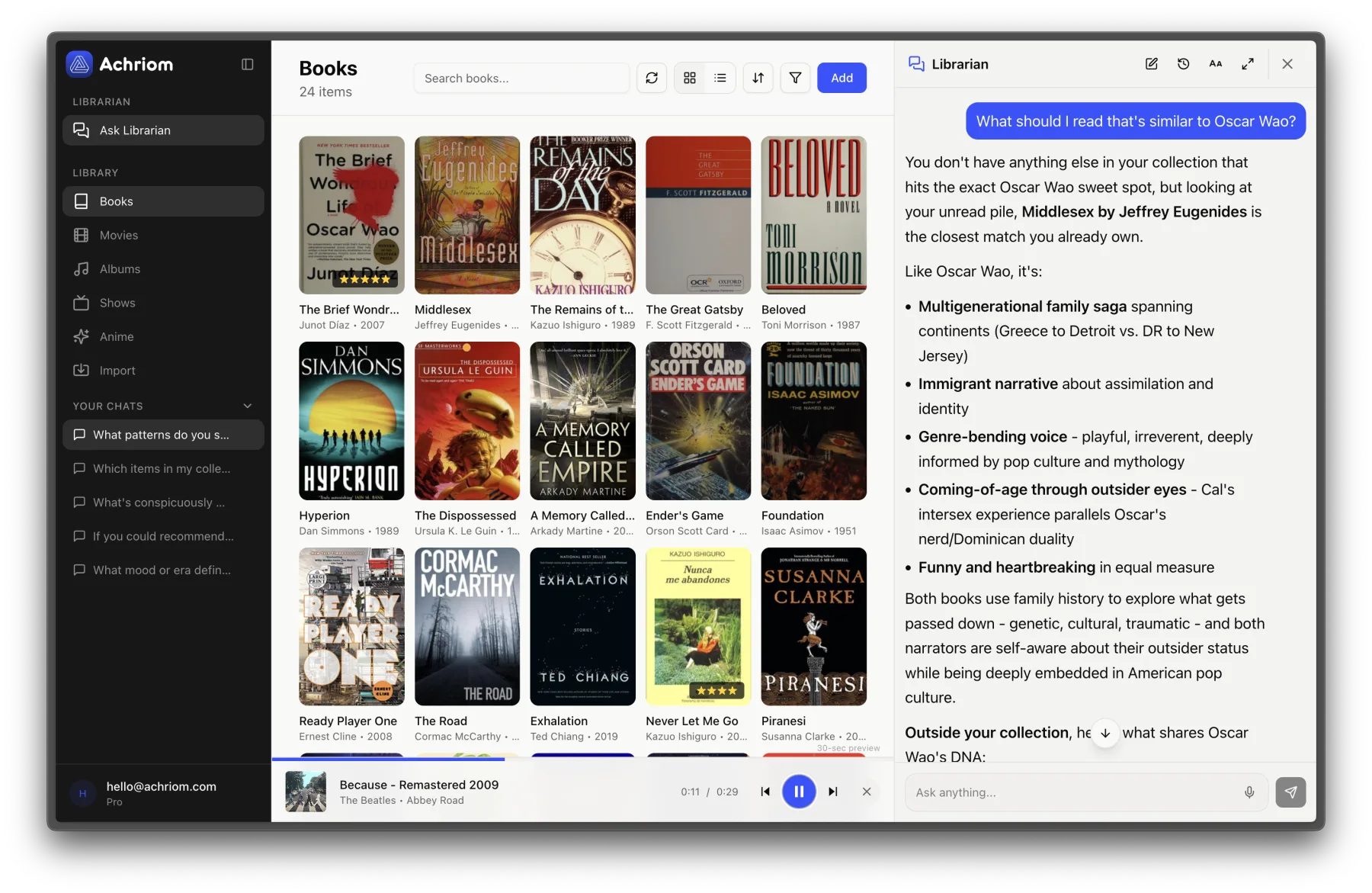
Achriom matches your books to real titles, pulls in cover art and metadata automatically, and lands your whole shelf in one library.
What comes across
| Goodreads | Achriom |
|---|---|
| Title | Title |
| Author | Creator |
| My Rating | Your rating |
| Date Read | Completed date |
| Shelves | Tags |
| Exclusive shelf (read / to-read / currently-reading) | Status |
| Review text | Notes in the item details |
Your ratings and reviews are real data on Goodreads, and they come with you. That is worth saying plainly, because it is not true of every tracker people are leaving right now.
What you get that Goodreads never gave you
This is the part that makes it more than a lateral move. Goodreads keeps your books in a silo. Achriom keeps your reading next to your films, albums, TV, and anime, with a librarian that reasons across all of it.
Finish a great novel and it can tell you what to watch next. Love a Murakami book and it surfaces the albums that share its atmosphere. Ask in plain language (“something slow and atmospheric, fiction this time”) instead of filtering by preset genre. Your taste stops being split across five apps and starts being one thing you can actually see.
Ready to bring your reading home? Move your Goodreads library to Achriom for free, and keep your books next to your films, music, and shows, with an AI librarian that finds the threads between them.
Start free and import your library →Your data stays yours
The reason you are leaving is that a company sat on your reading life for a decade and did nothing with it. Achriom is built the other way around. It is private by default, with no public shelves and no follower count, and you can export your entire library at any time, in a format you can take anywhere. You are moving in, not getting locked in.
What to do once your books are in
The more complete your library, the more the librarian can see. Try asking:
- “What patterns do you notice in my reading?”
- “What do my highest-rated books have in common?”
- “Recommend something based on the last five books I loved.”
Bring the rest of your shelf, too
Goodreads is just the first import. You can also bring in Letterboxd for films, your albums, and custom lists by CSV. Each import adds to one unified library, which is exactly where the cross-media connections start to surface.
Troubleshooting
Import seems stuck? Large libraries (1,000+ books) can take a few minutes. Refresh the page after five.
Missing cover art? A few obscure editions may not match automatically. You can search and link them by hand later.
Ratings did not come through? Make sure your Goodreads export includes the “My Rating” column, then re-export if needed.
Common questions
How do I move my Goodreads library to Achriom?
Export your library from Goodreads as a CSV, create a free Achriom account, open Import, choose Goodreads, and upload the file. Your books, ratings, dates, shelves, and reviews come across in about two minutes.
Does my rating and review history transfer?
Yes. Goodreads keeps real numeric ratings, and they come across along with your dates read, shelves (as tags), reading status, and review text.
Can I keep using Goodreads too?
Yes. The import does not touch your Goodreads account. Plenty of readers keep Goodreads for its review database and Kindle sync while using Achriom as the private library that connects their reading to everything else.
Where else can I go from Goodreads?
If you are still deciding, see the best Goodreads alternatives and the full best book tracking apps guide.